How to Play Grow a Pet Fighter
The full hatch–fight–fuse–offline loop with a real AccelToWin playthrough embedded mid-guide.
Overview
Grow a Pet Fighter is a Roblox Simulation/Tycoon by God Bless Zak 7. You grow pets from eggs, send them to fight, fuse keepers into stronger forms, and earn cash while offline. This guide walks the entire loop in order. For a tighter checklist, use Getting Started. For official links, see the Links Hub.
Server size is 8. Visits sit in the multi-million range with thousands playing at peak. The game is not Grow a Chicken Fighter and not Pet Fighters — different places, codes, and rosters.
Step 1 — Find and hatch eggs
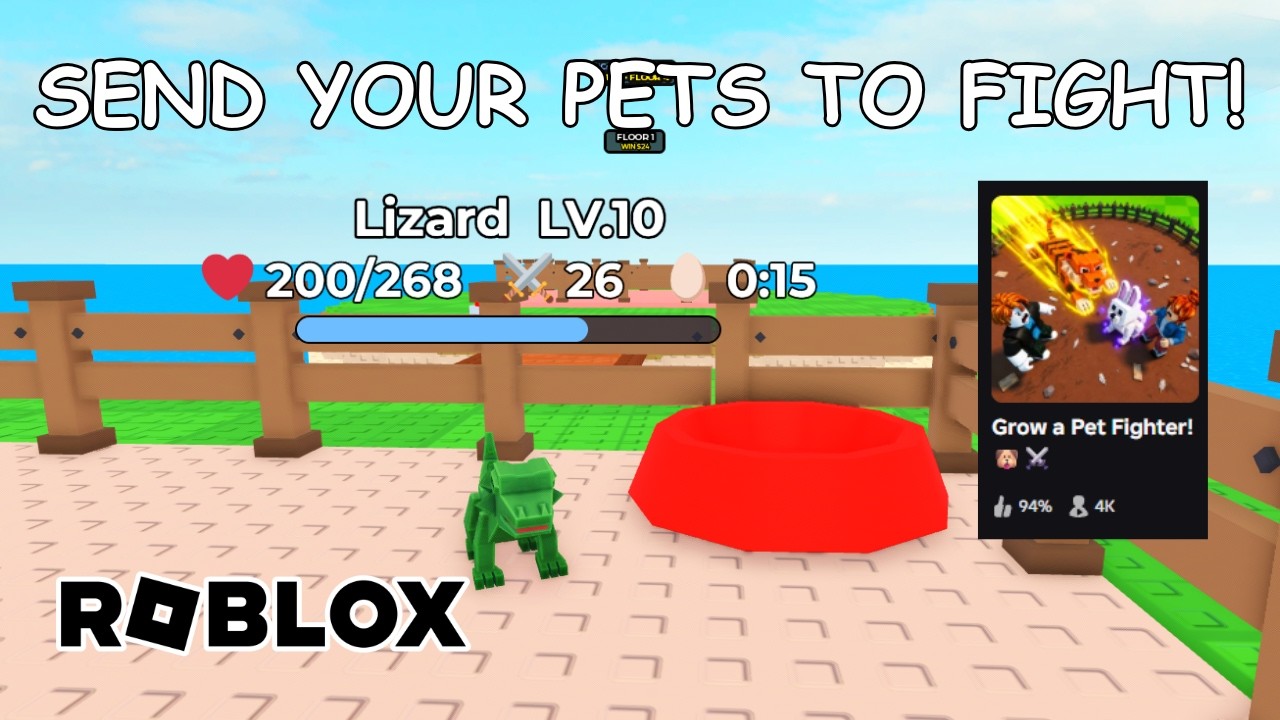
At your base, locate A Strange Egg. The game will prompt you to buy food or a Food Bowl before the hatch completes. In a September 16 current-build walkthrough, a Food Bowl near $60 produced a Level 1 Frog. Other playthroughs hatched a Lizard early. Your cash amount and species will vary — trust the live prompt.
Habits that help:
- Hatch as soon as you can afford the shown price.
- Do not hoard starter cash forever waiting for a perfect name.
- Note every new egg label that appears after updates.
Deep dive: Eggs.
Step 2 — Feed with bowls and bones
After the hatch, use the Treat Bowl at base. Walk the Arena perimeter and collect bones on the ground — they are free fuel for early levels. Feeding before combat saves you from sending a Level 1 pet into a wall repeatedly.
If bone spawns feel sparse after a patch, rejoin a fresh server and re-check. Automation that vacuums bones is discussed only on the Scripts Hub with risk warnings.
Mid-guide playthrough video
Watch a real session that shows hatching, naming, Arena sends, Tower attempts, and fusion experiments. Click to load the player when you are ready.
Step 3 — Fight in the Arena
From the HOME screen, press TO ARENA. Send your pet, watch the result, and return for more bones or food as needed. Arena loops are your reliable XP and cash engine before Tower walls get serious.
Tips:
- One clean learning fight beats ten panicked retries.
- Keep a mental note of the first bracket you clear consistently.
- When two pets clear equally, the spare copy becomes future fusion fodder.
Full Arena habits: Arena.
Step 4 — Climb the Tower
The Tower is the milestone climber. Send your strongest reliable pet upward until you hit a wall, then retreat to Arena and eggs to grow. Community videos show early floors falling quickly and mid floors punishing underleveled fighters — exact floor counts change, so read the live UI.
Do not burn your only strong pet on pride runs if you still need it for fusion planning. Strategy notes: Tower.
Step 5 — Fuse pets (carefully)
Open the PETS fusion screen when you have duplicates. Fusion consumes the pets you offer and returns a single result. Playthroughs show merges producing new forms and levels — outcomes are not a public spreadsheet yet.
Rules of thumb:
- Protect unique Kitsune, T-Rex, baby dragon, or personal clearers.
- Fuse extra Frog / Lizard / Chicken copies after you can still clear Arena.
- Cancel if the preview is confusing after a patch.
- Never enable Auto Fuse until you understand keepers.
Details: Fusion, roster context on the pets hub, decision lenses on the tier list.
Step 6 — Collect offline cash
Leave the game and return later to claim offline cash. This is part of the official loop, not a bug. Stronger rosters and progress generally improve AFK payouts, but rates are not frozen in this guide. Learn the claim UI once, then use it intentionally: Offline cash.
Controls worth knowing
Movement uses standard Roblox controls. Critical UI labels include TO ARENA, Food/Treat bowls, PETS, and Tower entry. See Controls for a compact label list.
Codes and scripts (optional side paths)
- Codes: None confirmed active as of October 2026 research. Do not redeem Chicken Fighter or Pet Fighters strings. Track status on Codes.
- Scripts: Community Barrage loaders advertise Auto Bones, Auto Arena, Auto Tower, Auto Hatch, Auto Fuse, ESP, and Auto Rebirth. Account risk is real — read Scripts before touching executors.
Progression roadmap after the tutorial hour
- Stabilize an Arena clearer.
- Push Tower until the first hard wall; note the floor.
- Expand eggs and duplicates.
- Fuse fodder only.
- Re-check Updates after patches.
- Re-evaluate pets with the tier list lenses.
Common failures
- Treating another game’s wiki as gospel.
- Fusing the only pet that could clear Tower floor N.
- Ignoring bone pickups.
- Assuming $60 Food Bowl forever.
- Paying for “private codes.”
Summary
How to play Grow a Pet Fighter: hatch from eggs with the food cost your server shows, feed with Treat Bowl and Arena bones, press TO ARENA, climb Tower floors you can actually clear, fuse only spare pets, and claim offline cash when you return. Use the embedded playthrough for visuals, then branch into the specialized guides linked above whenever a system gets deeper.
Frequently Asked Questions
Quick answers to the most common questions.
What is the core loop?
Find and hatch eggs, fight in the Arena, climb the Tower, fuse pets, and collect offline cash.
How do I start my first fight?
Hatch a pet, gather bones for the Treat Bowl, then press TO ARENA from the HOME screen.
Does fusion destroy pets?
Yes. Pets you offer are consumed. Protect uniques and fuse duplicates only.
Is offline cash real?
Yes. Leaving and returning lets you claim offline earnings as part of the designed loop.
Where is the beginner video?
Embedded mid-article on this page (AccelToWin playthrough). Other guides stay text-focused.